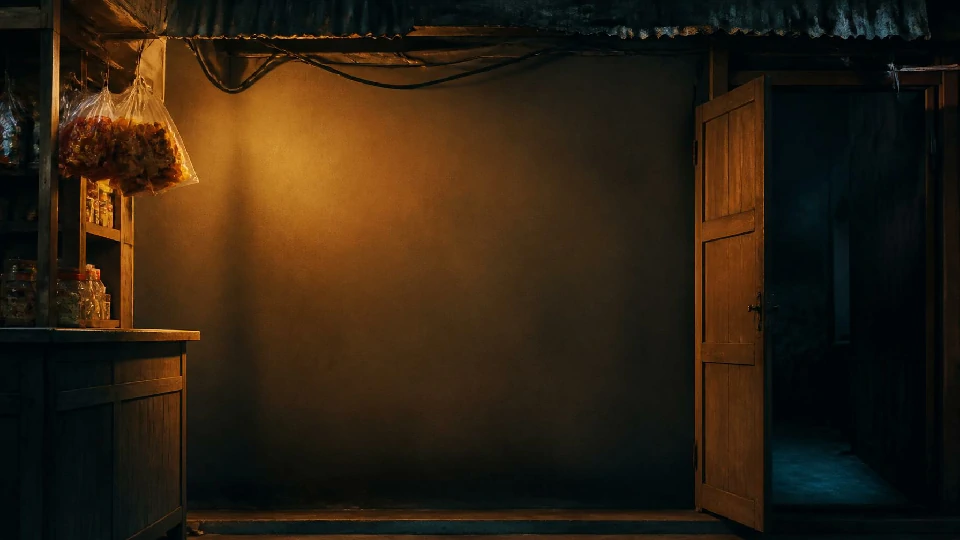
✶ the floor plan ✶
Narinig Mo Ba? Map & Locationsthe Counter, the Street Outside, and What Isn't There
This page takes you through every place Narinig Mo Ba? lets you see: the counter that carries the entire game, the objects on it actually worth clicking, the street outside that slowly starts to fill with wrong shadows, and the places people assume exist but never appear on screen. You will also learn what the game's fixed camera is quietly doing to you, and why the ending plays out exactly where it does.
the short answer
Does Narinig Mo Ba? Have a Map?
No. Narinig Mo Ba? has no map screen, no movement, no exploration, and no area unlocks. The entire game is played from one fixed first-person view at the store counter. You never walk, never leave the store, and never switch to another location. Every customer, every conversation, every horror beat, and the ending itself all happen in this single camera shot.
This is not a limitation of one version or a missing feature — it is how the game is built. The only thing you control is what you click.
the only real location
The Sari-Sari Store Counter: The Whole Game in One Shot
The counter is the only real location. It is a Filipino neighborhood sari-sari store seen from the player character's spot behind the counter, looking out at customers through a wooden counter and a metal grill.
What sits on the counter
- Shelves, fridge and freezer holding the goods: instant coffee packets, instant noodles, canned goods, drinks, snacks, and cigarettes.
- Bills and coins on the counter: ₱50, ₱100, ₱200 and ₱1000 notes, plus ₱5, ₱10 and ₱20 coins. You use these to take payment and to build change by hand.
- A calculator (branded KASYO) for working out totals and change.
- Price tags on the items.
- Buttons and objects around the counter: a cash register, an open/closed sign, a door lock, and switches for the TV and lights. These appear in the scene, but their interactive function isn't shown in the game — the transactions and the conversations are what actually drive it.
What you can click
Controls are mouse-only. The clickable things are: items on the shelves (to pick them for a customer), customers (to talk), bills and coins (to take money and build change), the calculator, and story objects such as the record book on Day 6.
The counter is not just a stage — it is the source of the game's tension. The grill separates you from everyone on the street. You can see them, talk to them, trade with them, but you are fixed in place while the world outside slowly turns wrong. The design pays off at the end: on Day 6, after you open the record book, the person at the grill is the one begging you to open the gate — and you are on the safe side of the metal, or so you thought. Everything the game wants you to feel about being trapped in one spot is built into that single camera.
through the grill
The Street Outside: What You Can See but Not Touch
Through the counter's grill you can see the street and alley outside the store. It is visible background, not a destination — you never go out there.
The projection screen
The street is where the game projects its horror. On Days 1 and 2 it reads as a normal neighborhood backdrop, with customers coming and going. From Day 3 the atmosphere shifts: shadow figures and silhouettes start appearing outside, and the ambient tone turns darker. On Day 4, during the game's first outright horror beat, a wrong shadow appears behind the boy customer or just outside the store while the visuals distort. Because you can only watch and not act, every shadow out there carries weight — you have no way to check what it is.
off-screen, always
There Is No Back Room
Despite what a store setting might suggest, no scene ever shows a back room. The camera stays at the counter for the entire game, including the whole Day 6 ending sequence:
The whole ending, in one shot
- Lucia hands you the record book at the counter
- you open it there
- she comes back and begs you to open the gate through the grill
- the officer arrives
- the credits roll
— all in the same front-of-counter shot.
absent from the build
What's Not in the Game
No map screen
No movement or walking
No enterable back room or other buildings
No area unlocks or new locations across the six days
No outside gameplay — the street is backdrop only
the mood does the work
How the Scene Changes Across the Six Days
The same counter shot carries the whole story, so the scene's mood does the work a map would normally do:
Day 1–2
A warm, ordinary neighborhood storefront.
Day 3
Music and ambience darken; shadows appear outside.
Day 4
The first visual distortion, and the wrong shadow behind Axel.
Day 5–6
The tension peaks — jarring sounds, the confrontation at the counter, the record book, the arrest.
The art style throughout is retro 2D hand-drawn and pixel illustration — cozy on the surface, which is exactly what makes the dark turns land harder.
don't do these
Common Mistakes to Avoid
Looking for a way to leave the store
There is none. You cannot walk, open the door, or explore the street. The counter view is the whole map.
Clicking the shadows outside
The silhouettes on the street are atmospheric, not interactive — clicking them does nothing.
Trying to enter the back room
There is no back room scene to reach.
Clicking random counter objects expecting a function
The register, sign, lock and switches sit in the scene, but their interactive behavior is not documented. Transactions and dialogue are the interactable core.
before you ask
Map & Locations FAQ
No map screen, no movement, no exploration — the whole game takes place in one fixed counter view.
No. The street outside is visible background only.
No scene shows one; the camera never leaves the counter, including during the ending.
Items on the shelves, customers, bills and coins, the calculator, and story objects like the record book.
The location does not change, but its mood does — the same counter gets darker, weirder, and more threatening from Day 3 onward.